







XAUUSD(gold)is a top-choice asset for retail traders globally,valued for its high liquidity,safe-haven status,and consistent price volatility.As a powerful upgraded trading terminal,MetaTrader 5(MT5)delivers advanced charting,multi-timeframe analysis,and fast order execution,making it perfect for trading gold.This concise guide breaks down exactly how to start trading XAUUSD on MT5 for new and casual traders.
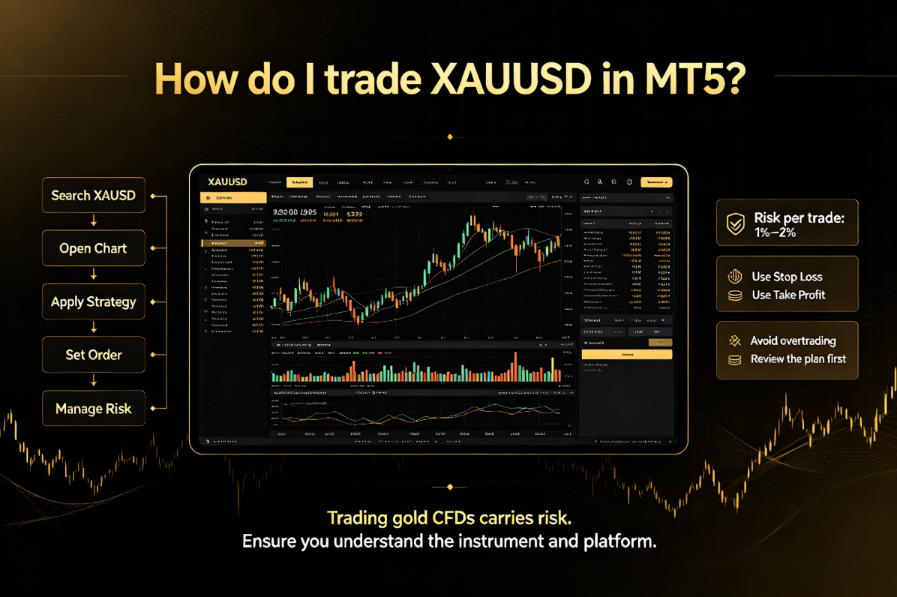
1.Set Up Your MT5 Trading Account
To trade live XAUUSD markets,you need a fully verified MT5 trading account connected to a reputable broker.A legitimate brokerage account unlocks real-time market quotes,live order execution,and full access to MT5’s core trading features,unlike limited demo accounts.
A reliable broker ensures stable connections and smooth trading experiences.Many global traders use UPWAY Global (https://www.jrjr.com/en/?340) for its full MT5 compatibility,stable market data feeds,and user-friendly entry conditions,ideal for beginners learning XAUUSD trading.
2.Add XAUUSD to Your MT5 Market Watch
XAUUSD is often hidden by default on MT5.Follow these quick steps to enable it:Open the Market Watch panel(Ctrl+M on desktop).Right-click the blank area,select Symbols,then locate XAUUSD under the Metals category.Select and show the symbol to add it to your trading list for quick access.
Quality broker platforms simplify this process with pre-enabled core instruments,saving traders unnecessary setup steps while delivering accurate,real-time XAUUSD pricing data.
3.Customize Charts for XAUUSD Analysis
Double-click XAUUSD to open its trading chart.MT5 supports candlestick,bar,and line charts,with flexible timeframes from 1-minute scalping to long-term weekly and monthly views.You can apply built-in indicators like RSI,MACD,moving averages,and Bollinger Bands to analyze trends,identify support and resistance levels,and spot potential trading entry and exit points.
Optimized broker server connections ensure smooth chart loading and stable indicator performance,even during volatile gold market sessions driven by economic news.
4.Place Your XAUUSD Orders on MT5
Once you finish your technical analysis,double-click XAUUSD to open the order window.First,set a suitable lot size based on your account capital and risk tolerance.Choose Buy for upward price predictions or Sell for downward forecasts.
Always apply Stop Loss(SL)and Take Profit(TP)levels to control risks and lock in profits—this is essential for sustainable XAUUSD trading.Confirm all settings and click“OK”to execute the order.You can monitor all open positions and trading records in the MT5 terminal panel in real time.
5.Key Benefits of Trading XAUUSD on MT5
MT5 outperforms older trading terminals with faster execution,more analytical tools,and better risk management functions,fully adapting to the fast-paced fluctuations of the gold market.Paired with a stable broker like UPWAY Global,traders can access tight spreads,low-latency order processing,and cross-device MT5 compatibility,enabling flexible and cost-effective XAUUSD trading anytime.
Final Thoughts
Trading XAUUSD on MT5 is straightforward once you master the basic setup and order rules.With professional chart analysis tools and proper risk control,traders can efficiently seize gold market opportunities.Choosing a stable,transparent broker further optimizes your overall trading experience for long-term consistent results.
Disclaimer:This content is for informational purposes only and should not be construed as financial advice.